
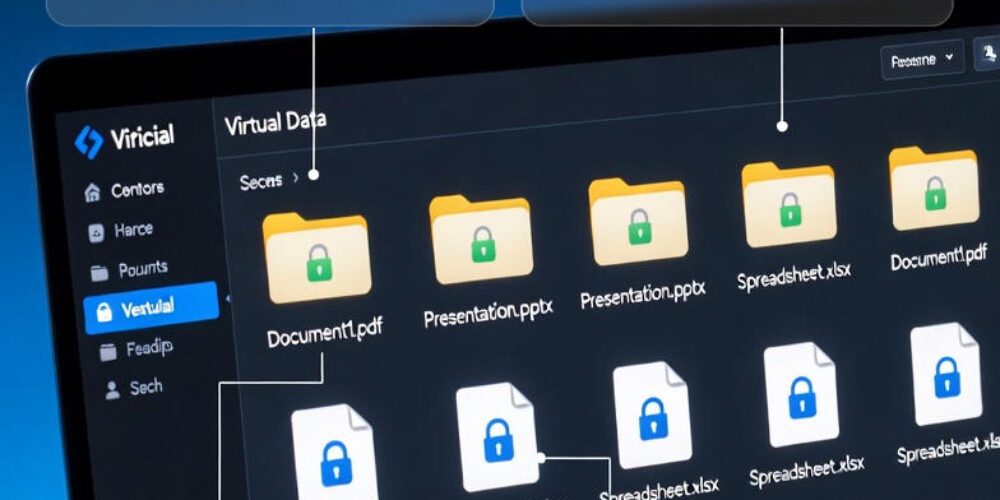
VDR built for M&A, Due Diligence, IPO etc.
bestCoffer offers the security and convenience you need.
Get in touch with bestCoffer to find out how we can support your business.
Introduction
A virtual data room (VDR) is a secure online repository designed for storing, managing, and sharing confidential documents with controlled access, primarily used during high-stakes business transactions like mergers and acquisitions (M&A), fundraising, and compliance processes.
In today’s digital landscape, businesses handle vast amounts of sensitive information that requires protection from unauthorized access while enabling efficient collaboration. Virtual data rooms address this by providing a centralized, highly secure platform that replaces traditional physical data rooms or insecure file-sharing tools.
Here are 6 key benefits of using a virtual data room:
This guide covers the definition and history of virtual data rooms, how they work step by step, core features, primary use cases in 2026, security and compliance factors, selection criteria, emerging trends, and frequently asked questions. In 2026, as data breaches continue to rise and regulatory scrutiny intensifies, understanding what a virtual data room is and how to leverage it effectively is essential for businesses aiming to protect assets and close deals efficiently.
Definition and History of Virtual Data Rooms
What is a virtual data room? At its core, a virtual data room — often abbreviated as VDR — is an online platform specifically engineered for the secure storage, organization, and controlled distribution of sensitive business documents. Unlike general cloud storage, virtual data rooms incorporate advanced security protocols, detailed access controls, and activity monitoring tailored for high-risk scenarios where confidentiality is paramount.
The concept of data rooms originated in the physical world. In the pre-digital era, companies set up secure physical rooms filled with hard-copy documents, financial statements, contracts, and legal files for due diligence during M&A transactions. Potential buyers or investors would visit these rooms under strict supervision, often requiring travel and limited access hours. This process was time-consuming, expensive, and prone to human error or physical theft.
The transition to virtual data rooms began in the late 1990s and early 2000s with the rise of the internet and secure online technologies. Pioneers like Merrill Datasite (now part of Datasite) and Intralinks introduced the first digital platforms, allowing remote access to documents without physical presence. The dot-com boom and increasing M&A activity accelerated adoption, as companies sought faster, more efficient ways to conduct due diligence.
By the 2010s, virtual data rooms had become standard in investment banking and corporate transactions. The shift was driven by globalization, the need for cross-border collaboration, and growing concerns over data security. Today, in 2026, VDRs have evolved far beyond M&A — they serve as enterprise-wide compliance tools, supporting broader applications in legal, healthcare, real estate, and internal governance.
Physical data rooms vs. virtual data rooms differ significantly:
According to industry analyses, the global VDR market continues to grow rapidly due to increasing regulatory demands and cyber threats.
How Virtual Data Rooms Work: Step-by-Step
Virtual data rooms operate through a structured, secure process that ensures data integrity and controlled sharing. Here’s a step-by-step overview:
Text-based flowchart:
Step 1: Upload & Encrypt Documents → Step 2: Organize & Index → Step 3: Configure Permissions & Watermarks → Step 4: Invite & Authenticate Users → Step 5: Review, Collaborate, Q&A → Step 6: Monitor Activity & Audit Logs → Step 7: Finalize, Report & Archive.
Security is embedded at every step: encryption protects data, permissions prevent leaks, and audit trails provide accountability.
Key Features of Virtual Data Rooms
Modern virtual data rooms offer a suite of features that distinguish them from standard file-sharing tools.
Core features include:
| Feature | Virtual Data Room | Traditional File Sharing (e.g., Dropbox/Box) |
|---|---|---|
| Encryption | AES-256, end-to-end | Basic encryption |
| Granular Permissions | User/group/role, time/IP limits | Folder-level, limited granularity |
| Audit Trails | Detailed logs, exportable | Basic activity logs |
| Watermarking | Dynamic, user-specific | Static or none |
| Compliance Certifications | SOC 2, ISO 27001, GDPR, HIPAA | Varies, often limited |
| Q&A/Collaboration | Built-in modules | Comments only |
| Revocation/Remote Wipe | Instant document recall | Limited |
These features matter because they mitigate risks in sensitive transactions. Granular permissions ensure only relevant parties see specific files, audit logs support regulatory audits, and watermarking discourages leaks.
Primary Use Cases in 2026
In 2026, virtual data rooms support diverse applications beyond traditional M&A.
By 2026, only about 45% of VDR use is M&A-related, with growing adoption in compliance and internal governance.
Security and Compliance Considerations
Security is the cornerstone of any virtual data room. Key elements include AES-256 encryption, multi-factor authentication, IP restrictions, and dynamic watermarking. Audit trails log every interaction, enabling forensic analysis if needed.
Compliance standards: ISO 27001 for information security management, SOC 2 for service organizations, GDPR for EU data, HIPAA for health information, and CCPA for California residents. Many VDRs offer data residency options to meet local laws.
Non-transfer clauses prevent unauthorized forwarding, and insider threat protection uses zero-trust models. In 2026, VDRs align with regulations by providing tamper-evident logs and rights management.
Choosing a Virtual Data Room: Key Factors
Businesses should evaluate VDRs based on:
A checklist helps: Does it support AI tools? Mobile access? Global data centers?
Future Trends in Virtual Data Rooms
In 2026, AI integration enables automated redaction, summarization, and anomaly detection. Blockchain may enhance provenance tracking. Mobile access improves usability, while global compliance tools handle evolving regulations.
FAQ Section
What is a virtual data room used for? Primarily for secure document sharing in M&A, fundraising, compliance, and legal processes.
What are virtual data rooms different from cloud storage? Virtual data rooms offer advanced security, granular controls, audit trails, and compliance tools, unlike general cloud storage.
How secure is a virtual data room? Highly secure with AES-256 encryption, MFA, watermarking, and detailed logs.
How much does a virtual data room cost? Varies from $180–$500/month depending on features and scale.
Can I use a virtual data room for small projects? Yes, many providers offer scalable options for startups and small deals.
Do virtual data rooms support mobile access? Most modern VDRs provide responsive mobile interfaces.
What certifications should a VDR have? SOC 2, ISO 27001, GDPR compliance, HIPAA if applicable.
Is AI common in virtual data rooms in 2026? Yes, for redaction, search, and workflow automation.
Conclusion
Virtual data rooms provide secure, efficient solutions for managing sensitive information in an increasingly regulated world. From M&A to compliance, they offer control, transparency, and speed. As trends like AI and broader compliance use grow, VDRs remain vital tools.
Interested in seeing a virtual data room in action? Request a demo from providers like BestCoffer to evaluate fit for your next transaction.