
VDR built for M&A, Due Diligence, IPO etc.
bestCoffer offers the security and convenience you need.
Get in touch with bestCoffer to find out how we can support your business.
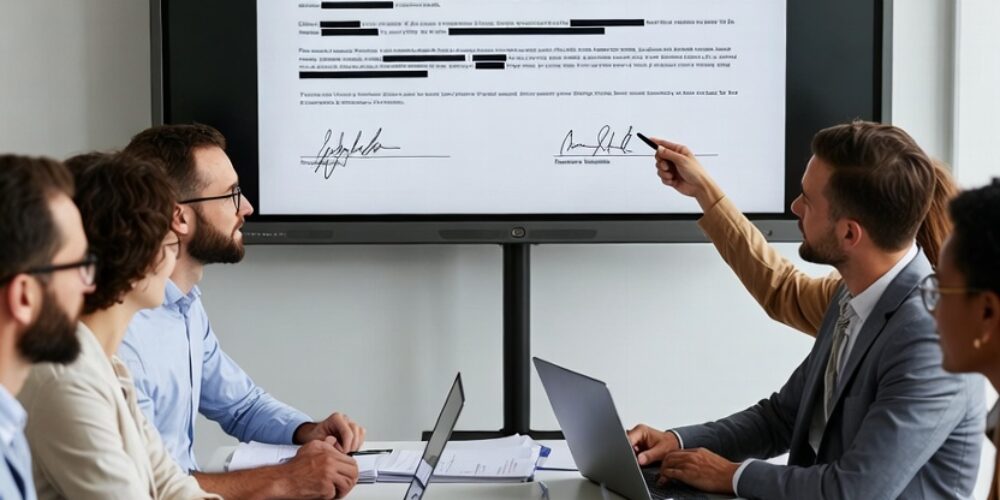
Redacting PDF documents is a critical process for permanently removing sensitive information—such as personally identifiable information (PII), financial data, or confidential clauses—from PDF files before sharing them in mergers and acquisitions (M&A), due diligence, legal proceedings, or compliance scenarios. bestCoffer offers an advanced AI-powered redaction tool integrated directly into its secure Virtual Data Room (VDR) platform, enabling fast, accurate, and zero-leakage redaction of PDFs and 47+ other formats, reducing compliance risks by up to 98% and accelerating processes 10x compared to manual methods.
In today’s high-stakes business environment, especially during M&A transactions, the ability to redact PDF documents efficiently and irreversibly is essential to protect sensitive data while enabling secure collaboration. bestCoffer’s AI Redaction tool, embedded within our industry-leading Virtual Data Room, automates the detection and permanent removal of confidential content, ensuring full compliance with regulations like GDPR, HIPAA, and more.
PDF redaction involves the permanent deletion of sensitive text, images, metadata, or hidden data from PDF files, making the information unrecoverable—even through advanced recovery techniques. Unlike simple masking (e.g., drawing black boxes that can sometimes be reversed by removing layers), true redaction erases the underlying data, creating a clean, new document.
This process is vital in scenarios where documents must be shared partially, such as:
bestCoffer‘s AI Redaction ensures zero leakage by using OCR + AI to detect and mask PII, structured/unstructured data, custom entities, headers/footers, and tables across PDFs (including scanned ones).
PDF redaction traces its roots to traditional document censorship methods. Before digital tools, redaction relied on physical techniques: black markers on paper copies, scissors for cutting sections, grease pencils, or photocopying with overlays. These manual processes were time-consuming and error-prone.
The Portable Document Format (PDF) was invented in the early 1990s by Adobe’s Dr. John Warnock as part of the “Camelot Project,” designed for reliable sharing without modification risks. As PDFs became standard for contracts, reports, and disclosures, digital redaction emerged in the late 1990s and early 2000s with tools like Adobe Acrobat introducing built-in redaction features.
The rise of data privacy laws (e.g., GDPR in 2018, CCPA) and high-profile breaches accelerated adoption of automated solutions. Today, AI-driven redaction—powered by machine learning and OCR—has transformed the field, making it faster and more reliable for large-scale use in VDRs during M&A.
PDF redaction methods vary by automation level, accuracy, and use case:
| Method | Advantages | Disadvantages | Best For |
|---|---|---|---|
| Manual Redaction | High precision; full control over each instance | Extremely time-consuming; high error risk in large volumes; costly labor | Small documents; final reviews |
| Semi-Automated (Search) | Faster than pure manual; consistent keyword detection | Misses contextual or unstructured data; requires manual verification | Known patterns (e.g., names) |
| AI Automatic (e.g., bestCoffer) | 10-20x faster; 99.5%+ accuracy; handles complex/scanned PDFs; batch support | Initial setup for custom rules; dependency on AI quality | M&A due diligence; high-volume |
| Traditional Masking | Quick visual cover | Not permanent (layers can be undone); risks data leakage | Non-sensitive, temporary sharing |
AI methods excel in efficiency and compliance, with bestCoffer reducing risks by 98% and saving 95% time.
In M&A due diligence, companies often share thousands of PDFs containing financials, IP details, and contracts. Redacting irrelevant or highly sensitive sections prevents leaks while allowing buyers access to necessary info.
bestCoffer has supported numerous M&A clients by providing secure VDR services with built-in AI redaction, enabling worry-free file sharing.
PDF redaction complements Virtual Data Rooms (VDRs) and desensitization tools:
In bestCoffer VDR:
This integration is superior for M&A, where VDRs handle the full lifecycle while redaction ensures selective disclosure.
For more on secure M&A processes, read our articles on Poison Pill in M&A, Virtual Data Room Best Practices, Due Diligence Checklist, M&A Document Management, and Secure File Sharing in Deals.
External authoritative sources:
Author Bio: Written by the bestCoffer Security & Compliance Expert Team. With over 15 years in secure data solutions, our specialists have supported hundreds of M&A deals, providing ISO 27001-certified VDR services and AI tools that protect sensitive information while accelerating transactions.
Ready to securely redact PDF documents and manage M&A files? Apply for BestCoffer free trial today—safely handle M&A documents with our AI Redaction + VDR. Request Free Trial Now or contact us at marketing@bestcoffer.com.