
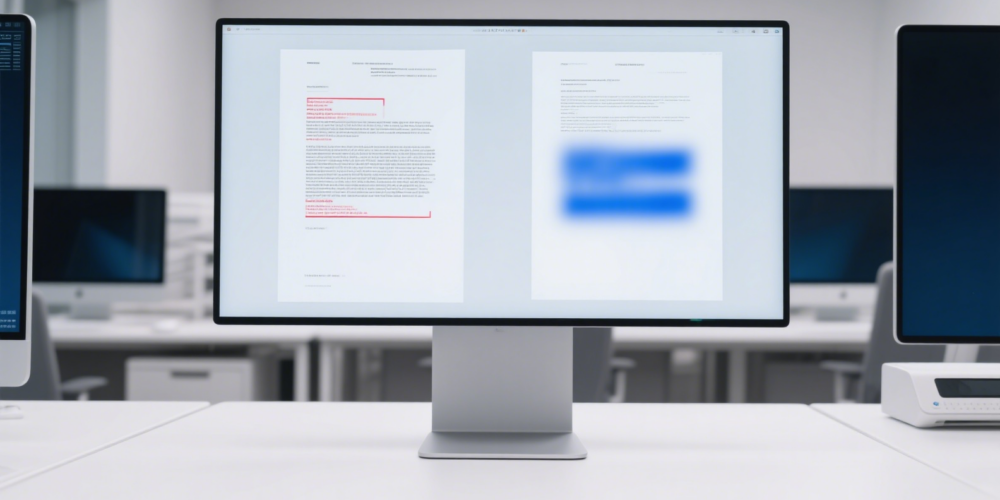
BestCoffer AI Redaction: How to Redact a PDF Securely and Permanently in 2026

How to redact a PDF is essential for safeguarding confidential information before distribution in legal proceedings, due diligence, compliance submissions, or public releases. bestCoffer’s AI Redaction, embedded in our industry-leading Virtual Data Room platform, streamlines permanent, accurate redaction with automation, audit trails, and zero-leakage guarantees across PDFs and 47+ formats.

What Does It Mean to Redact a PDF? (Definition and Importance)

PDF redaction permanently erases sensitive text, images, annotations, hidden layers, or metadata, generating a new clean file where the original data cannot be recovered—unlike simple black-box masking (which often leaves recoverable layers or metadata).

This process is critical for:

  • Protecting PII/PHI in healthcare (HIPAA), finance (PCI-DSS), or legal filings.
  • Sanitizing documents in M&A due diligence without exposing trade secrets.
  • Complying with privacy laws like GDPR, CCPA, and FOIA exemptions.
  • Preventing data breaches from incomplete or reversible redactions.

bestCoffer employs AI + advanced OCR to detect and permanently remove PII, custom entities, tables, headers/footers, and scanned content with 99.5%+ accuracy.

History and Evolution of PDF Redaction (Up to 2026)

Early PDF redaction relied on manual techniques: printing, blacking out with markers, rescanning. Adobe Acrobat introduced digital redaction around 2000–2005 with basic search-and-mark tools.

Milestones:

  • Privacy regulations (GDPR 2018, updated CCPA) mandated true permanent removal.
  • High-profile breaches highlighted risks of incomplete redactions (e.g., hidden metadata).
  • By 2025–2026, AI-driven automation (OCR + ML entity detection) became standard, replacing manual-heavy processes in tools like Adobe, with cloud-integrated platforms leading for scale and compliance.

bestCoffer embodies 2026 best practices with seamless AI + VDR integration.

Types of PDF Redaction Methods in 2026

  1. Manual Redaction — Select and blackout using basic editors.
  2. Search-Based Redaction — Keyword/pattern matching with approval.
  3. AI-Automated Redaction — Contextual detection and batch processing (bestCoffer’s core).
  4. Batch & Metadata Scrubbing — Handles volumes + removes hidden data.
  5. Permanent Sanitization — Creates new files, logs actions for audit.

Advantages and Disadvantages of PDF Redaction Methods


MethodAdvantagesDisadvantagesBest For
ManualHigh precision for unique casesExtremely slow; error-prone; costly for volumeSmall files; final verification
Search-BasedConsistent for known patternsMisses context/nuance; verification neededStandard PII (SSNs, emails)
AI Automated (bestCoffer)10–20x faster; superior accuracy; OCR for scans; batch + metadata cleanRequires initial rule setup; model quality mattersEnterprise legal/M&A/compliance
Basic Masking/OverlaysQuick visual coverNot permanent; recoverable via layers/metadataInternal drafts only
 

AI methods dominate in 2026 for efficiency, defensibility, and compliance.

Step-by-Step Guide: How to Redact a PDF

Traditional Method (e.g., Adobe Acrobat Pro – 2026 Interface)

  1. Open PDF in Acrobat Pro; make a copy first.
  2. Go to All Tools > Redact a PDF (or Tools > Redact).
  3. Set properties: Choose fill color, overlay text (e.g., “REDACTED”).
  4. Mark content: Drag rectangles over text/images or use “Find Text & Redact” for patterns (e.g., phone numbers).
  5. Apply: Confirm and apply redactions.
  6. Sanitize: Remove hidden info/metadata.
  7. Save as new PDF.

Free/Online Alternatives (e.g., Smallpdf, Sejda – Limited for Enterprise)

  1. Upload PDF.
  2. Select areas to redact.
  3. Apply and download—but note: May not fully scrub metadata or guarantee permanence.

Recommended 2026 Method: bestCoffer’s AI Redaction in VDR

  1. Log into bestCoffer VDR and upload PDF(s).
  2. Activate AI Redaction: System auto-scans and highlights PII/entities.
  3. Review/preview: Adjust custom rules or overrides.
  4. Apply batch permanent redaction (erases data, scrubs metadata).
  5. Download or share securely within VDR (with permissions, logs, watermarks).
  6. Verify: Audit trail confirms compliance.

Always duplicate originals and test recoverability.

Real-World Use Cases and Examples

  • Legal Teams: Redact client details in discovery PDFs.
  • Healthcare: Sanitize PHI in medical reports.
  • M&A: Remove proprietary data from shared due diligence files.
  • Government/FOIA: Prepare responses with protected info.

bestCoffer powers these workflows for clients worldwide.

PDF Redaction vs. VDR and Desensitization Integration

Redaction focuses on content removal; VDRs add secure sharing layers (encryption, granular access, audits). bestCoffer’s seamless integration: redact → control → collaborate.

Related cluster articles: Secure File Sharing, Due Diligence Checklist, M&A Document Management, VDR Best Practices, Poison Pill Strategies.

Best Practices for Redacting PDFs in 2026

  1. Work on copies only.
  2. Choose permanent tools (avoid masking).
  3. Use OCR for scanned/image-based PDFs.
  4. Scrub all metadata/hidden layers.
  5. Preview AI detections and fine-tune.
  6. Maintain audit logs.
  7. Integrate with secure VDR platforms.
  8. Test post-redaction for recoverability.

External authoritative sources:

Author Bio: Written by the bestCoffer Security & Compliance Expert Team. With over 15 years protecting sensitive data, our ISO 27001-certified specialists deliver trusted AI redaction and VDR solutions for global enterprises.

Ready to learn how to redact a PDF the secure, modern way? Apply for BestCoffer free trial today—permanently redact PDFs and manage files in our AI-powered VDR. Request Free Trial Now or contact marketing@bestcoffer.com.

Image Cropping Instructions (21)

VDR built for M&A, Due Diligence, IPO etc.

bestCoffer offers the security and convenience you need.
Get in touch with bestCoffer to find out how we can support your business.