
VDR built for M&A, Due Diligence, IPO etc.
bestCoffer offers the security and convenience you need.
Get in touch with bestCoffer to find out how we can support your business.
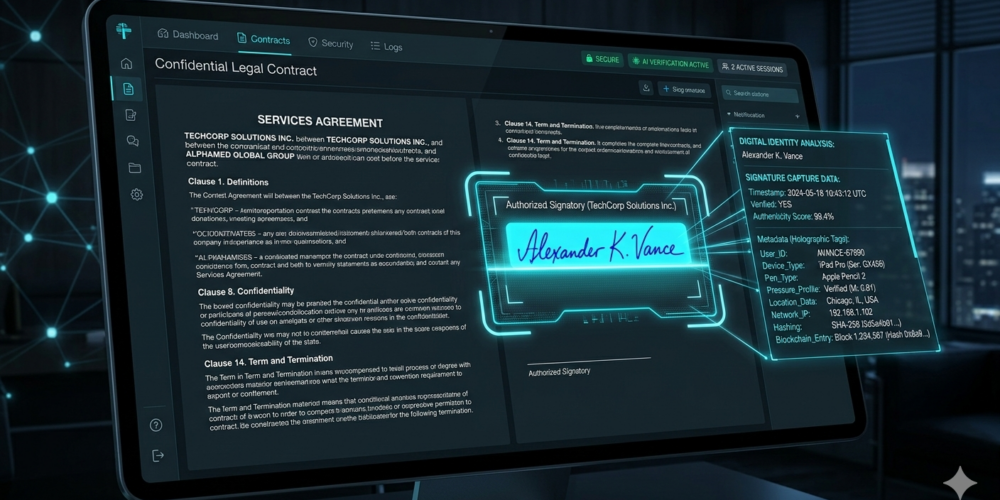
To remove a signature from a PDF means more than just deleting a visible image; it involves scrubbing the embedded metadata and digital certificates to ensure no traces of the signer’s identity remain. While many tools only offer surface-level deletion, professional-grade sanitization is required for legal and financial compliance.
Privacy Note: Signature removal is a critical part of document sanitization. To see how this fits into your overall data protection strategy, explore our : How to Redact a PDF: Step-by-Step Tutorial
Removing a signature is notoriously difficult in standard PDF editors because:
Digital Locking: Many PDFs become “read-only” or locked once a digital signature is applied.
Ghost Metadata: Even if the signature image is removed, the underlying cryptographic hash often remains, revealing the signer’s name and timestamp.
Layer Transparency: Simply covering a handwritten signature with a white box does not remove the data from the file’s objects, making it easy to recover via forensic tools.
bestCoffer utilizes advanced AI to identify signature fields and permanently sanitize them at the code level. Follow these steps:
Secure Upload: Log in to your bestCoffer account and upload your documents to the Virtual Data Room (VDR). This ensures your sensitive contracts are processed in an encrypted, high-security environment.
Define Signature Rules: Open your document and navigate to the Smart Redaction menu. Select “Define Rules” and check the “Handwritten Signature” or “Digital Signature” box. bestCoffer’s AI will automatically scan the document to locate all signature instances.
Execute & Generate: Click to start the process. The AI doesn’t just “hide” the signature; it regenerates a new sanitized PDF where the signature data is physically overwritten and removed from the file structure.
Secure Sharing or Export: Once completed, you can:
Download locally: For offline storage of the sanitized version.
Share via VDR: Provide access to specific stakeholders with granular controls, such as viewing time limits and download restrictions, ensuring the document never leaves your control.
For organizations handling high-stakes documents, the difference between manual editing and bestCoffer AI is significant:
Cryptographic Cleaning vs. Visual Deletion: Standard editors often leave the “Digital ID” certificate intact. bestCoffer scrubs both the visual signature and the underlying metadata, ensuring a clean slate.
Context-Aware Detection vs. Manual Search: Instead of hunting through a 200-page contract for initials and signatures, bestCoffer’s AI Entity Recognition finds them all in seconds, preventing accidental omissions.
VDR Integration vs. Unsecured Distribution: Most signature removal tools require you to download and then re-email the file. With bestCoffer, the entire process happens inside a Virtual Data Room, keeping the audit trail intact and the document secure.
Q: Will removing a signature make the PDF editable again? A: Yes. By using bestCoffer to sanitize signature fields, the “locked” status typically associated with signed PDFs is cleared, allowing for further necessary edits while maintaining document integrity.
Q: Can I remove signatures from multiple PDFs at once? A: Absolutely. BestCoffer supports Bulk Sanitization, allowing you to apply signature removal rules across entire folders in your VDR simultaneously.
Q: Does this work for both handwritten and digital signatures? A: Yes. Our AI is trained to recognize the visual patterns of handwritten ink as well as the technical metadata of digital certificates (e.g., DocuSign or Adobe Sign remnants). For more on AI recognition, see our .
Need to sanitize your contracts instantly?